

Dear Mayor,
In the nearest future, some changes will take place in SuperCity for players who play the game on Facebook. These changes are connected with new technical requirements from Facebook.
We know that your name, avatar, and neighbor list are important parts of your SuperCity experience. In this article, we will explain what will change, why it is happening, and what you will be able to do after the update.
Why are these changes happening?
Until now, when you opened SuperCity on Facebook, the game automatically used the name and avatar from your Facebook profile.
According to Facebook’s new technical requirements, it will no longer be allowed to use this profile information outside Facebook in the same way.
Because of this, SuperCity will update how player names and avatars work in the game.
1. Your name and avatar
What will change?
After the new requirements come into effect, your current avatar in SuperCity will be replaced with a neutral one generated automatically.
This means that instead of your Facebook profile picture, you will see a new automatically created player avatar in the game.
Your avatar will now always appear first, before all your friends in the neighbor bar.
Here is where you will see your new avatar:
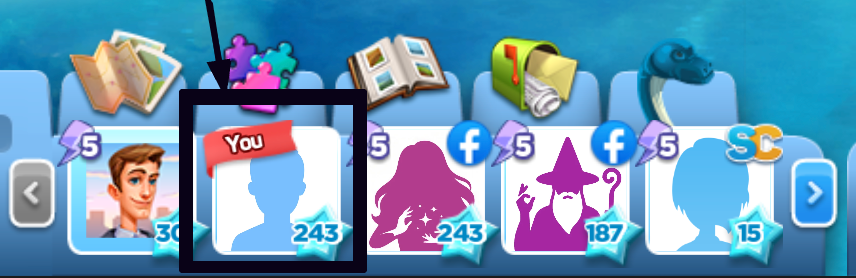
To edit your name or avatar in the game, just click on your avatar at the bottom of the game screen.

a) Your avatar
After the changes take effect, your avatar will become neutral.
You will be able to change it, but only by choosing one of the ready-made avatars available in the game.
Please note: it will not be possible to use other images as your avatar. Unfortunately, this means you will not be able to upload a picture from your computer, use an image from the internet, or use your Facebook profile picture.
Here is what the avatar selection window will look like:
.png)
You can change your avatar as many times as you like by choosing from the available list of avatars.
b) Your name
After the changes take effect, you can change your player name in the name editing window.
You can keep the name that was generated automatically, or you can type any other name you like.
.png)
If you check the box in this window, the game will automatically use the name from your Facebook profile.
.png)
You can change your name in the game as many times as you like.
c) Special name and avatar tutorial
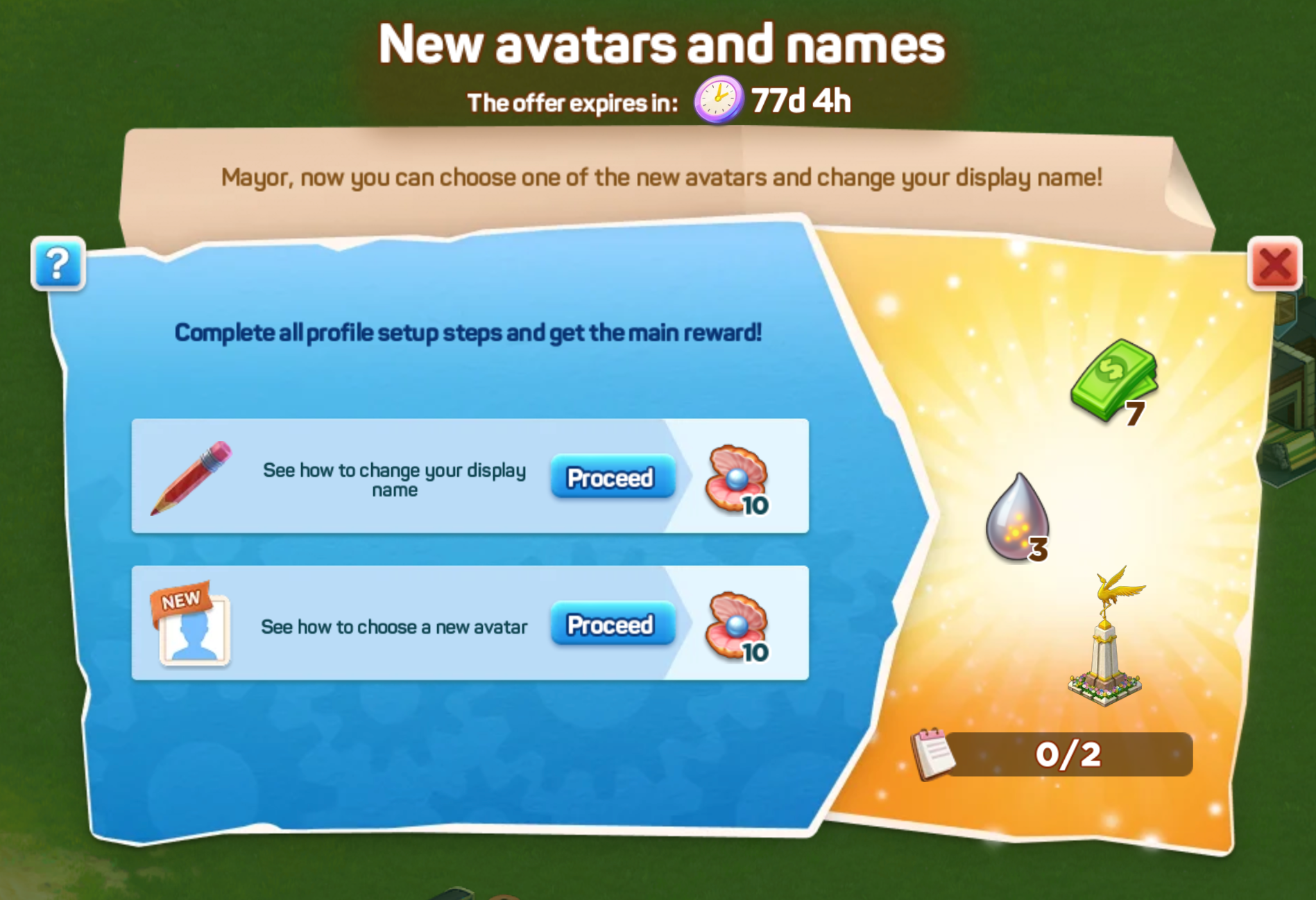
To help you get used to these changes, a special tutorial will be launched in the game.
In this tutorial, you will learn how to change your player name and avatar. You will also receive nice bonuses for completing the tutorial.
2. Your neighbours
These changes will affect all players who play SuperCity on Facebook.
This means that many of your neighbours may also receive new names and avatars in the game. You may notice these changes in the neighbour bar at the bottom of your game screen.
To help you recognize your neighbors, you will be able to move your mouse cursor over their avatar. When you do this, the game will show both their old name and their new name.
This will make it easier to find familiar neighbors while everyone gets used to the update.
Thank you for your understanding
We understand that changes to names and avatars may feel unusual at first, especially if you have been playing with the same profile picture and name for a long time.
These changes are needed because of Facebook’s updated technical requirements. We have tried to make the new system clear and simple, and we hope the tutorial will help you feel comfortable with it quickly.
Thank you for being part of SuperCity, and thank you for helping make our community so warm and friendly.
Your gift
You can claim another gift in honour of SuperCity birthday here.

Thank you for being part of SuperCity!